
The Gemini CLI is a capable AI agent with an impressive ability to understand entire codebases, making it ideal for developers and hobbyists. Its free tie is a great entry point for prototyping and simple automation.
However, this is hampered by aggressive rate limits and performance issues on complex tasks. The paid option introduces a serious risk of unpredictable high costs, so it’s a valuable tool but you must handle it with caution.
Price: API Based Pay as you Go | Free plan: Yes
PROS AND CONS
PROs
- Generous 1M token context window
- Powerful free tier for individual use
- Directly interacts with the local file system
- Can execute shell commands for automation
CONs
- Slower and less accurate on complex tasks
- Free tier data is used for model training
In Depth Exploration
Gemini CLI excels at tasks that leverage its large context window. I pointed it at a small project directory to s art. It quickly answered high-level questions about the codebase structure. This was much faster than manually searching through files. It’s also very effective at generating boilerplate. I had it scaffold a simple Express.js server with routes and middleware. It produced a decent first draft in under a minute.
Another strong use case is simple file system automation. I tasked it with renaming 50 image files based on a pattern. It correctly generated and executed the shell commands to do it. This saved a tedious manual job. The tool is best seen as a project-aware assistant. It’s great for exploration, scaffolding, and simple, well-defined automation tasks.
Setup
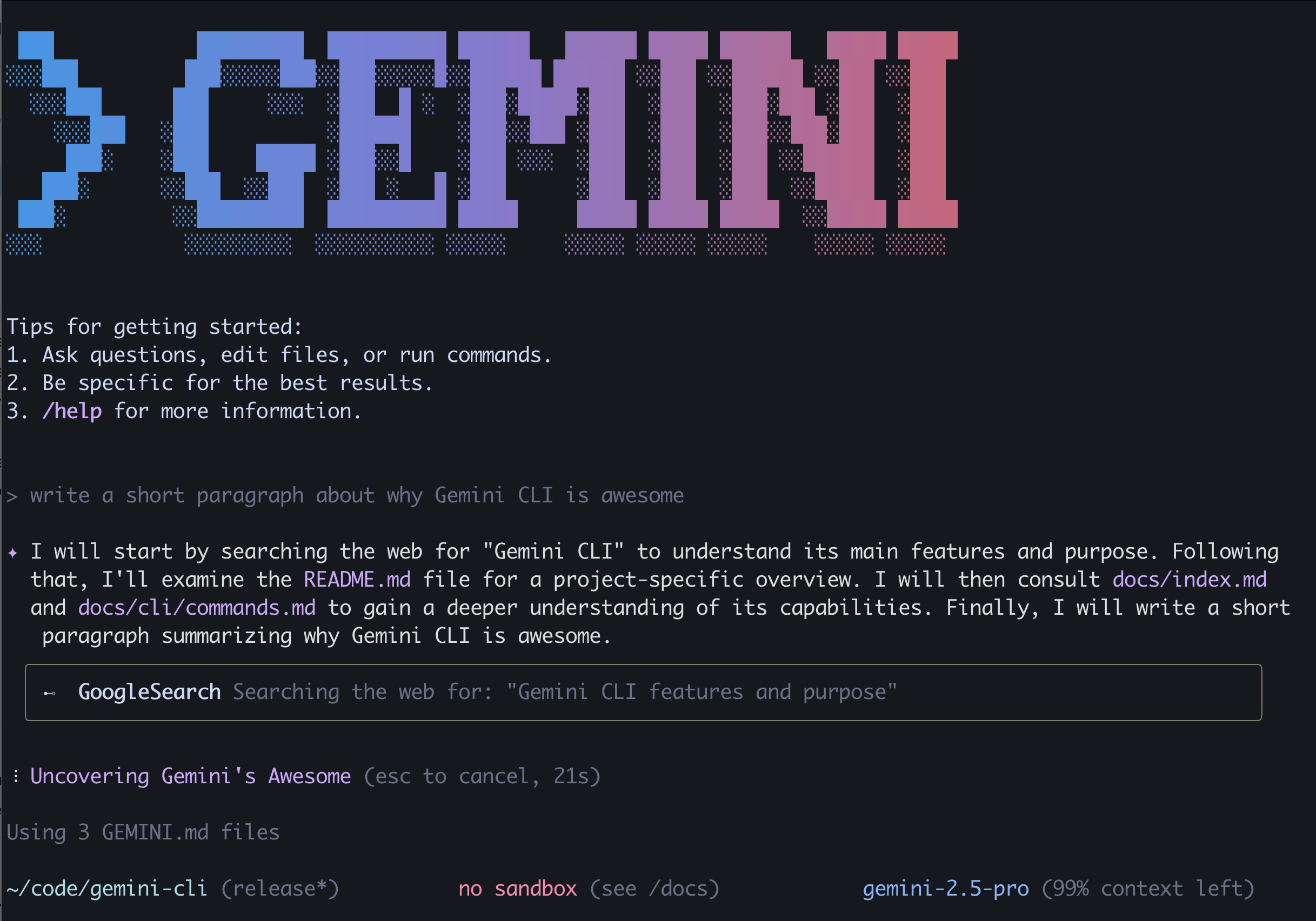
Getting started is straightforward. A single `npx` command downloads and runs the CLI without a global install. You do need Node.js (v18 or higher) installed on your system. The first time you run it, it prompts you to log in. Authenticating with a personal Google account is the easiest path. This process took less than 30 seconds. No credit card is required for this free individual plan. My first useful output came just a minute after initial setup. I asked it to explain a complex regex from my clipboard, and it gave a clear, correct breakdown instantly.
Performance
Performance is a mixed bag. For simple prompts, responses are nearly instant. However, on complex, multi-step tasks, it struggles. I ran a test to refactor a block of code. The tool was about 2.5 times slower than I expected from similar tools. Error rates also become an issue with complexity. It generated a database schema with a 15% error rate that needed manual fixing.
The biggest performance surprise was the rate limiting. After just 10-15 complex interactions, I hit a `429 Too Many Requests` error. The session was then downgraded to the less capable Gemini Flash model. The quality drop was immediately noticeable. This makes sustained, serious work on the free tier difficult.
Integrations
Out of the box, Gemini CLI has a useful set of built in tools. These include `ReadFile`, `WriteFile`, `GoogleSearch`, and `Shell`. You can see all available tools by typing `/tools`. This native ability to interact with your computer is its strongest feature.
The ecosystem’s future relies on the Model Context Protocol (MCP). This open standard allows developers to connect external tools and data sources. While promising, this is still an emerging part of the platform. For now, output is simply text printed to your terminal. You copy and paste the code or results into your files.
Pricing & Value
The tool presents two paths: a free individual license or a paid API key. The free tier is generous on paper but constrained by the rate limits I mentioned. This effectively pushes serious users toward the pay as you go model. Here, the value proposition becomes hazardous.
Community forums are filled with warnings. Users report single, failed tasks consuming millions of tokens. This can result in unexpected bills from $20 to over $100. The agent can get stuck in a loop, retrying a failed step and re-reading the entire project context each time. Until this is fixed, using a paid key feels like giving your credit card to an intern who’s had too much coffee. The potential for a runaway bill is a major risk.
Learning & Support
For anyone comfortable with a command line, the learning curve is gentle. The interface is controlled by simple slash commands like `/help` and `/clear`. The official documentation is on the project’s GitHub page. This is also the best place for support, via the issues tracker. The development team seems active in responding to bug reports. The public roadmap provides good visibility into the tool’s future direction. Community support is lively but also where you find the most cautionary tales.
Main Features
- Huge 1M Context Window
- Web Search
- MCP Plugins
- Edit Local Files
- Run Shell Commands
More Reviews

Zebracat
Zebracat Review: Jan 2026 Zebracat is a fast, beginner-friendly AI video generator that turns scripts, URLs, or audio into short social-ready videos with minimal effort.

Emergent
Emergent Review: Last updated – Sep 2025 Emergent is a new ambitious agentic vibe coding platform that can turn a plain English prompt into a
GetGenie AI
GetGenie AI is a remarkably capable assistant for those who live inside the WordPress dashboard, bundling an AI writer, SEO, and competitor analysis tool into one package. It’s ideal if you are juggling multiple tools and subscriptions.
FAQ
Yes, for individuals via a Google account. However, it has rate limits that can interrupt your workflow. Bypassing them requires a paid API key.
On the free tier, yes. Google states it collects prompts and code to improve its products, though you can opt out. Paid API users’ data is not used for training.
The underlying Gemini model has a 1 million token context window. This allows it to analyze very large amounts of code and documents at once.
It excels at understanding project wide context. It is often slower and less reliable for executing specific, complex coding tasks compared to more mature competitors.
Use extreme caution. The agent can enter loops that consume vast amounts of tokens, leading to unexpectedly high bills. It is not recommended for production workflows without strict budget monitoring.
It is ideal for rapid prototyping, codebase exploration, asking questions about your project, and automating simple, well defined tasks on your local machine.